
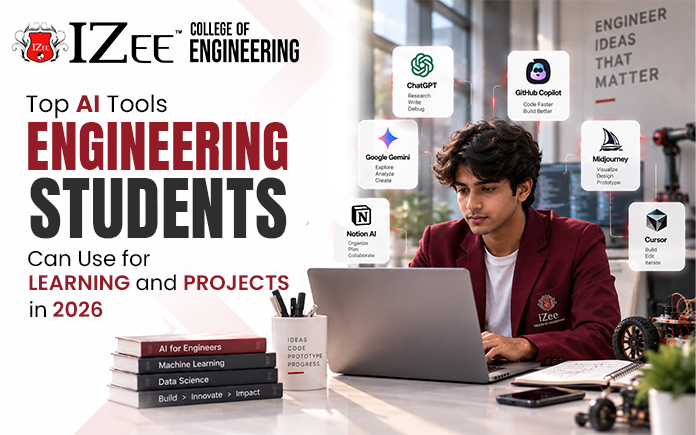
Today’s engineering coursework is not as simple as taking lectures and doing homework from the textbook. Students will be expected to code, simulate, analyse, write technical reports, and manage group projects, all in the span of one week. This workload is being handled in a way that is subtly infused with the structured AI course in Bangalore. When used properly, it is not a substitute for learning, it’s just taking some of the “friction” out of learning.
In 2026, the following list of AI tools for engineering students are actually useful, rather than just a long list of names.
Tools for Coding and Debugging
Coding remains one of the biggest time sinks for engineering students, especially those with limited programming background. This is where AI assistance helps the most.
| Tool | What It Does |
| GitHub Copilot | Suggests code as you type, completes functions, and catches small errors directly in your editor |
| Google Colab | Free cloud based notebooks with GPU and TPU access for coding, testing, and running ML projects |
| Kaggle | Free compute, built in datasets, and a collaborative notebook environment for data heavy projects |
These are especially useful AI tools for BTech students working on final year projects involving data analysis or model training, since expensive hardware is no longer a barrier to getting started. Copilot works best when you already understand the logic behind the code it suggests, rather than accepting everything blindly.
Tools for Calculations and Problem Solving
For subjects heavy on mathematics and formulas, general purpose chatbots are not always the most reliable option. A few tools are better suited to this kind of work.
| Tool | What It Does |
| Wolfram Alpha | Solves equations with stepwise answers, built around structured mathematical computation |
| ChatGPT | Explains concepts in simpler terms and walks through the logic of a problem |
| Claude | Helps identify where your approach went wrong, not just the final answer |
Tools for Research and Technical Writing
Reading through research papers and technical documentation is a regular part of engineering coursework, particularly during final year projects.
| Tool | What It Does |
| Perplexity | Searches technical literature and gives source backed, concise answers |
| SciSpace | Helps read and annotate papers, with summaries and plain language explanations |
These are genuinely among the top AI tools for engineering students working on literature reviews or capstone projects, since they cut down the hours normally spent skimming through papers to find relevant sections.
Tools for Design and Presentation
Not every engineering task is about code or calculations. Presenting a project clearly matters just as much, whether it is a lab report, a capstone presentation, or a design review.
| Tool | What It Does |
| Gamma | Turns rough notes into a structured, presentable deck quickly |
| AI powered CAD tools | Convert text prompts into editable 3D models and assist with generative design |
These help most when deadlines leave little time for polishing slides or refining early stage designs by hand.
Using These Tools the Right Way
The AI tools for college projects are indeed helpful, but are best used as aids rather than a replacement for learning. Unless a student uses a tool to generate an answer without understanding why, this approach will likely be a surprise for them later on, perhaps in a viva or interview or at Higher Level studies that draw on previous concepts.
This is particularly useful for students who use them to save time on repetitive tasks, leaving more time for them to deepen their comprehension of more challenging aspects of their studies.
Why This Matters Beyond College
The ability to utilize AI tools effectively in college goes beyond merely completing assignments quickly. It has become a new standard in what employers require graduates to bring to the table, especially if they want to pursue a career as AI/ML Engineers or technical careers in general. Students who are knowledgeable about these tools and understanding of their capabilities, have a head start when entering the workforce.
If one is looking to acquire this skill set formally, some such courses as information science engineering in Bangalore can offer a more comprehensive set than self-taught skills.
Other institutions such as IZee College of Engineering are also introducing these sorts of hands-on exposure to AI as part of their curriculum, equipping students with the tools they will need on the job.
Final Thoughts
AI tools are not going to replace engineering for you, but they can help you handle repetitive tasks more efficiently, diagnose issues quicker, research more effectively, and deliver your projects with greater clarity. When applied wisely, along with sincere interest in the problem you are working on, they can make engineering courses much more manageable in 2026 and beyond.
FAQs
1. Is it okay to use AI tools for engineering assignments?
Yes, as long as they are used to support your understanding rather than replace it. Using AI to explain a concept, speed up debugging, or organise research is fine. Submitting AI generated work without understanding it can backfire, especially in vivas or exams that build on the same concepts.
2. Which AI tool is best for coding assignments?
GitHub Copilot can be integrated into code editors and provides code suggestions in real time, it is widely used for coding assistance. Google Colab and Kaggle are more helpful when it comes to heavier data or machine learning projects as they also offer free computing power.
3. Are these AI tools free to use?
Most of them have a free version that can be used for most undergraduate requirements such as Wolfram Alpha, Google Colab, Kaggle and Perplexity. There are also some tools that provide special student discounts or free access, so be sure to check before subscribing.
4. Can AI tools replace the need to learn programming or math fundamentals?
No. These tools work best as support for someone who already understands the basics. Relying on them without learning the fundamentals tends to create gaps that show up later in interviews, advanced coursework, or on the job.
5. What is the best AI tool for a final year project?
It depends on the type of project. Coding heavy projects benefit most from GitHub Copilot, Colab, or Kaggle, while research heavy projects benefit more from Perplexity and SciSpace. Most students end up using a combination of tools across different stages of the project.